
Migrating a WordPress site can be nerve-wracking, especially when you’re worried about losing data, downtime, or complicated server setups. That’s where migration plugins come in. They remove the complexity and allow both beginners and professionals to move sites efficiently.
In this guide, we dive into the 10 best WordPress migration plugins in 2025, evaluating each based on usability, features, reliability, support, and performance. Whether you’re running a personal blog, WooCommerce store, or managing client websites, you’ll find the right plugin tailored to your needs.
What Makes a Good WordPress Migration Plugin?
Before diving into the list, let’s understand the essential features you should look for:
- Ease of Use – A clean interface with a clear step-by-step migration process.
- Compatibility – Works across different hosting environments, themes, and plugins.
- Performance – Efficient migration that doesn’t slow down your live site.
- Backup & Restore Options – Safety nets in case something goes wrong.
- Database and File Handling – Support for large files, serialized data, and URL replacement.
- Pricing Flexibility – Free plans or affordable premium tiers.
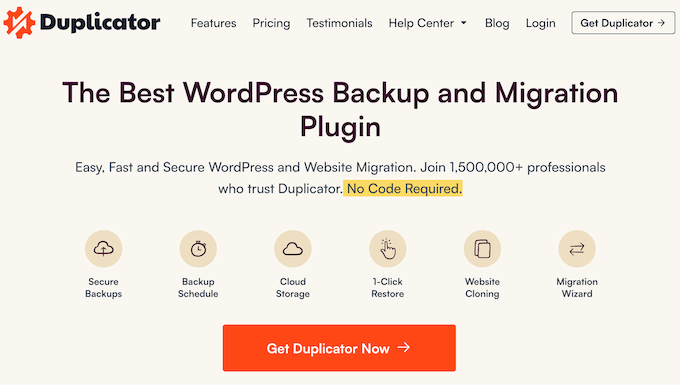
1. Duplicator – Best All-Around Migration Plugin
Ideal for: Users needing server-to-server transfers, complete backups, and multisite support.
Duplicator is one of the most powerful and flexible plugins in the WordPress migration ecosystem. It bundles your entire site—including plugins, themes, content, and database—into a downloadable archive.
Key Features:
- One-click site duplication.
- Server-to-server transfers.
- Full support for multisite networks.
- Scheduled backups and cloud storage integration (Pro).
- Built-in search-and-replace URLs.
Best For: Developers, agencies, and power users.
Pricing: Free version available. Paid plans start at $49.50/year.
2. UpdraftPlus Premium – Most Flexible Migration Tool
Ideal for: Selective backups and restoring specific parts of your site.
UpdraftPlus is renowned for its backup capabilities, but its premium version includes powerful migration features. You can move your site to a new domain or host, restoring only the parts you need (database, themes, media).
Key Features:
- Selective migration (choose what to move).
- Cloud storage integrations.
- Incremental backups.
- Automatic URL replacement.
- Works with multisite (Premium).
Best For: Advanced users or partial migrations.
Pricing: Starts at $70/year for 2 sites.

3. Jetpack VaultPress Backup – Best for WooCommerce Sites
Ideal for: eCommerce sites with real-time order tracking.
This plugin ensures you never lose a customer order during migration. Real-time backups and server-side operations make it extremely reliable.
Key Features:
- Real-time backup of WooCommerce orders.
- Instant restore from any point.
- Cloud-powered (no server strain).
- Mobile restore via app.
Best For: WooCommerce store owners.
Pricing: Starts at $59.40/year.

4. All-in-One WP Migration – Most User-Friendly Option
Ideal for: Beginners and non-tech users.
With over 5 million active users, this plugin offers a seamless export-import workflow. Drag and drop your backup file, and your site is restored.
Key Features:
- Drag-and-drop import.
- No server-side technical steps.
- Available in 50+ languages.
- URL search and replace.
Limitation: Free version has a 256MB limit. Paid extensions are required for larger sites.
Pricing: Free core; Unlimited extension starts at $69/year.
5. Migrate Guru – Best Free Large-Site Migration Tool
Ideal for: Free, fast, and large-scale site transfers.
Developed by BlogVault, Migrate Guru uses its own cloud servers to migrate sites—avoiding timeouts and memory issues.
Key Features:
- No server strain.
- Supports sites up to 200GB.
- Automated URL rewrite.
- Works with 5,000+ web hosts.
Limitation: Doesn’t support multisite or localhost migrations.
Pricing: 100% free.

6. Solid Backups (Formerly BackupBuddy) – Best for Serialized Data Handling
Ideal for: Accurate database migration with serialized data.
If you’re dealing with themes or plugins that store data in serialized formats, Solid Backups ensures accurate and clean transfers.
Key Features:
- Standalone importer (no WordPress required on target site).
- Handles serialized data.
- cPanel database builder.
- AES-256 encrypted archives.
Pricing: Starts at $8.25/month.
7. ManageWP – Ideal for Freelancers and Agencies
Ideal for: Managing and migrating multiple client websites.
More than just a migration plugin, ManageWP allows you to control all your sites from a single dashboard.
Key Features:
- One-click migration.
- Staging and cloning.
- Client reporting.
- White labeling.
Best For: Agencies managing multiple WordPress installations.
Pricing: Free base plan; $2/month per site for migration features.
8. Total Upkeep – Best Budget Option
Ideal for: Developers who want low-cost, reliable site transfers.
This plugin offers surprising value, including automated rollback if something goes wrong during migration.
Key Features:
- Smart pre-checks before migration.
- Secure backup download links.
- Auto rollback on failure.
- Unlimited site use with one license.
Pricing: $2.50/month billed annually.
9. WP Migrate (Formerly Migrate DB Pro) – Best for Local Development
Ideal for: Developers syncing local and live environments.
WP Migrate allows developers to push and pull databases between environments with ease, ensuring their changes go live smoothly.
Key Features:
- Local/live database sync.
- Push/pull workflows.
- WP-CLI support.
- Selective migrations (e.g., just plugins or themes).
Pricing: Free version available. Premium starts at $49/year.
10. SiteGround Migrator – Best for SiteGround Users
Ideal for: Anyone moving their site to SiteGround hosting.
This plugin is tailored for one thing—moving to SiteGround. It does that extremely well with a token-based system.
Key Features:
- Simple migration via token.
- Zero downtime.
- Automatic database imports.
- Built-in site preview.
Limitation: Works only for SiteGround hosting.
Pricing: Free.
Bonus: Professional Migration Services
If you’re moving a high-stakes business website or want complete peace of mind, consider hiring professionals. Services like Bluehost Pro Services or Seahawk Media offer white-glove migration packages.
Conclusion: Which Plugin Should You Choose?
There’s no one-size-fits-all. Here’s a simple breakdown:
- For most users: Duplicator (balance of power and simplicity)
- For WooCommerce: Jetpack VaultPress
- For large free transfers: Migrate Guru
- For agency developers: ManageWP
- For budget use: Total Upkeep
Remember, it’s not just about moving your site—it’s about doing it without data loss, downtime, or broken links. Each plugin here has been tested for reliability and efficiency in real-world environments.
Choose the one that best fits your workflow, technical comfort, and budget.
FAQs: WordPress Migration
Q: Will migrating a WordPress site break my SEO? A: Not if you update your URLs properly. Most plugins handle this automatically.
Q: Can I migrate multisite networks? A: Yes, but only with plugins like Duplicator Pro or UpdraftPlus Premium.
Q: Is it safe to migrate during high-traffic times? A: Use plugins with staging or zero-downtime features. Otherwise, schedule during off-peak hours.
Q: What should I do before migrating? A: Always back up your entire site and test the process on a staging environment if possible.
With the right plugin, WordPress migration doesn’t have to be a technical nightmare. Happy migrating!